
Transaction
Trails
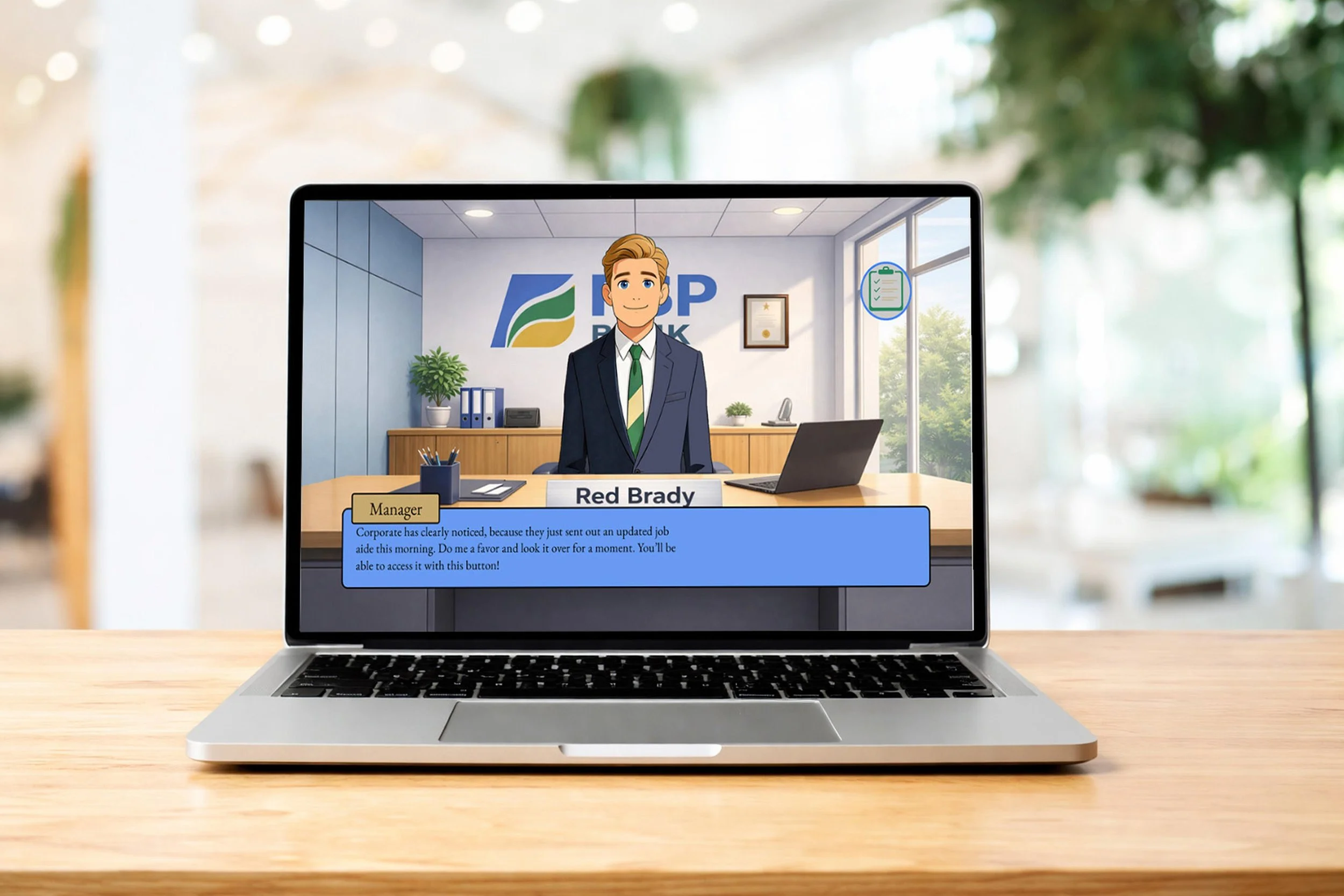
This scenario-based eLearning simulation is a concept project designed to help bank tellers identify unusual activities in day-to-day transactions and accurately file the appropriate reports.
Audience: Bank tellers working at FSP Bank
Responsibilities: Action mapping, storyboarding, visual design, UI design, prototype creation
Tools used: Mindmup, Google Suite, Adobe Photoshop, Articulate Storyline, Figma, Audacity, ChatGPT, Freepik Picasso, ElevenLabs
The Problem
FSP Bank (a fictional company for this concept project) was nervous about a serious uptick in financial crimes and government crackdowns. Too many missed cases of money laundering could lead to fines from regulatory agencies, or legal action in some cases.
What I discovered was that employees were largely unaware of the signs of unusual activity, and what paperwork to file when they encountered such a situation. My goal was to help employees recognize the common data patterns and human behaviors that accompany money laundering, and choose the correct reports to file.
The Solution
I decided that the best solution wasa scenario-based eLearning simulation that mimics the day-to-day flow of processing transactions for customers. This allows tellers to face realistic situations and requires them to notice and report unusual patterns to succeed. They receive almost instant feedback, and can review which scenarios they got right and wrong at the end of the simulation. This helps learners better identify missing concepts and how to assimilate them going forward.
I also included an interactive job aid that tellers can easily reference at any point during their workday. This presents them with the important information they need in order to make the correct decisions, while not slowing down the pace of the simulation for more seasoned tellers who may already have a strong knowledge base to reference from.
My Process
In order to bring the eLearning simulation into the real-world, I followed the ADDIE model. I started by analyzing the needs of the learners, which informed a series of design choices around what information to include, how to structure it, and how to present it. I then developed the project using a variety of software tools, and tested the experience by presenting it to peers in my network, as well as fellow members of my instructional design cohort. I made appropriate revisions as necessary.
Action Map
The first step was to identify what the learners actually needed to do in order to more accurately identify and report unusual activity. To get a proper understanding of what possible learning gaps would appear in a real bank, I compiled resources and documents about money laundering and the financial practices to prevent it. I fed these resources to an LLM, which streamlined my process for understanding the key behaviors and knowledge gaps, much like an analysis session with an SME. Through this, I was able to generate and refine a realistic goal, as well as the actions and behaviors needed to accomplish it.
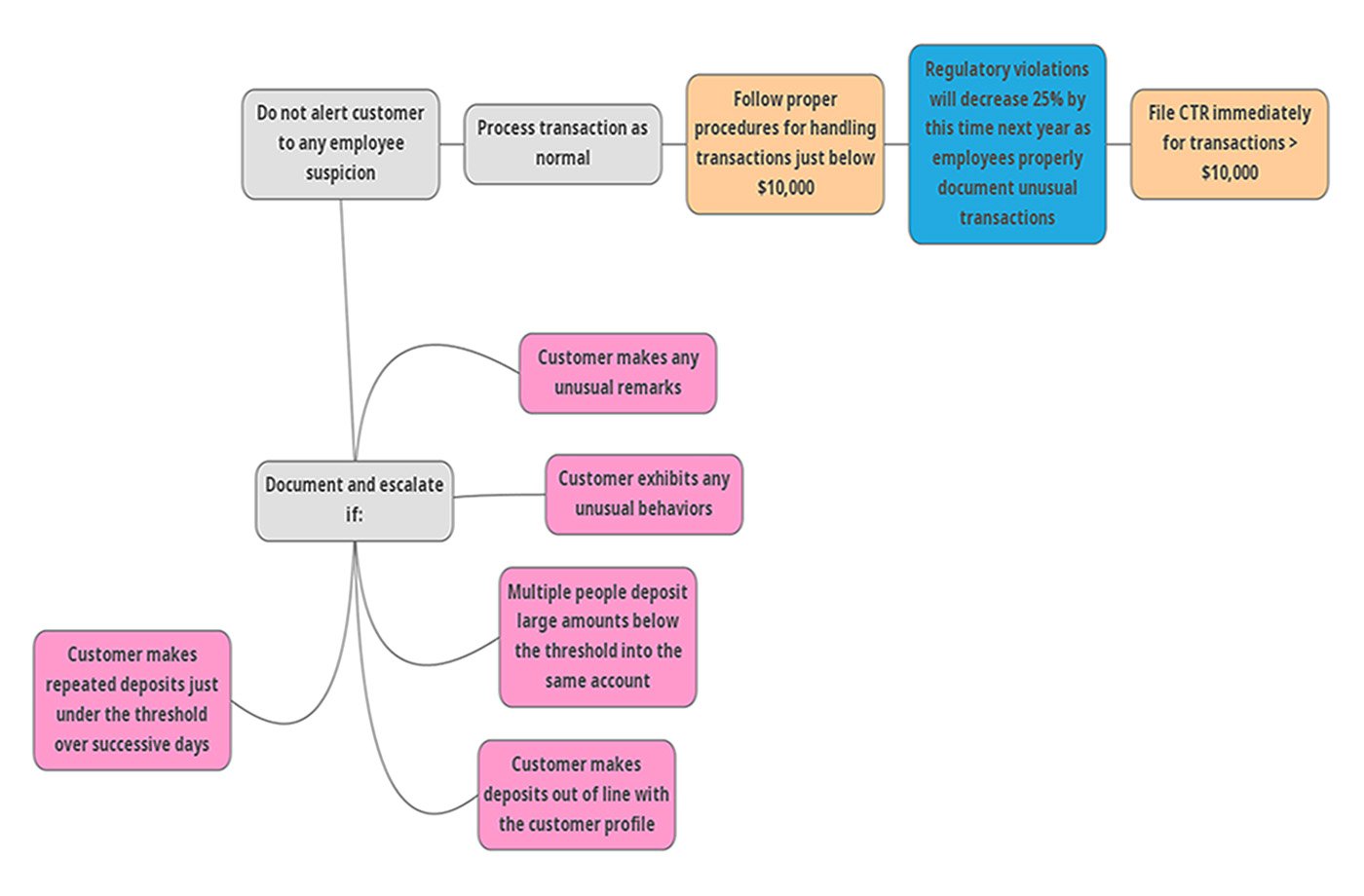
The action map, outlining the main business goal and the changes needed to achieve it.
storyboard
I built out a text-based storyboard that organized the main structure and flow of the project. This included descriptions of the slides, what components would be built and how. Doing this allowed me to streamline my understanding of how the project would play out, without having to spend a large amount of time building it in an authoring tool. I followed Mayer’s Personalization Principle by writing conversational language when appropriate, while maintaining the professional corporate jargon on forms and documents.
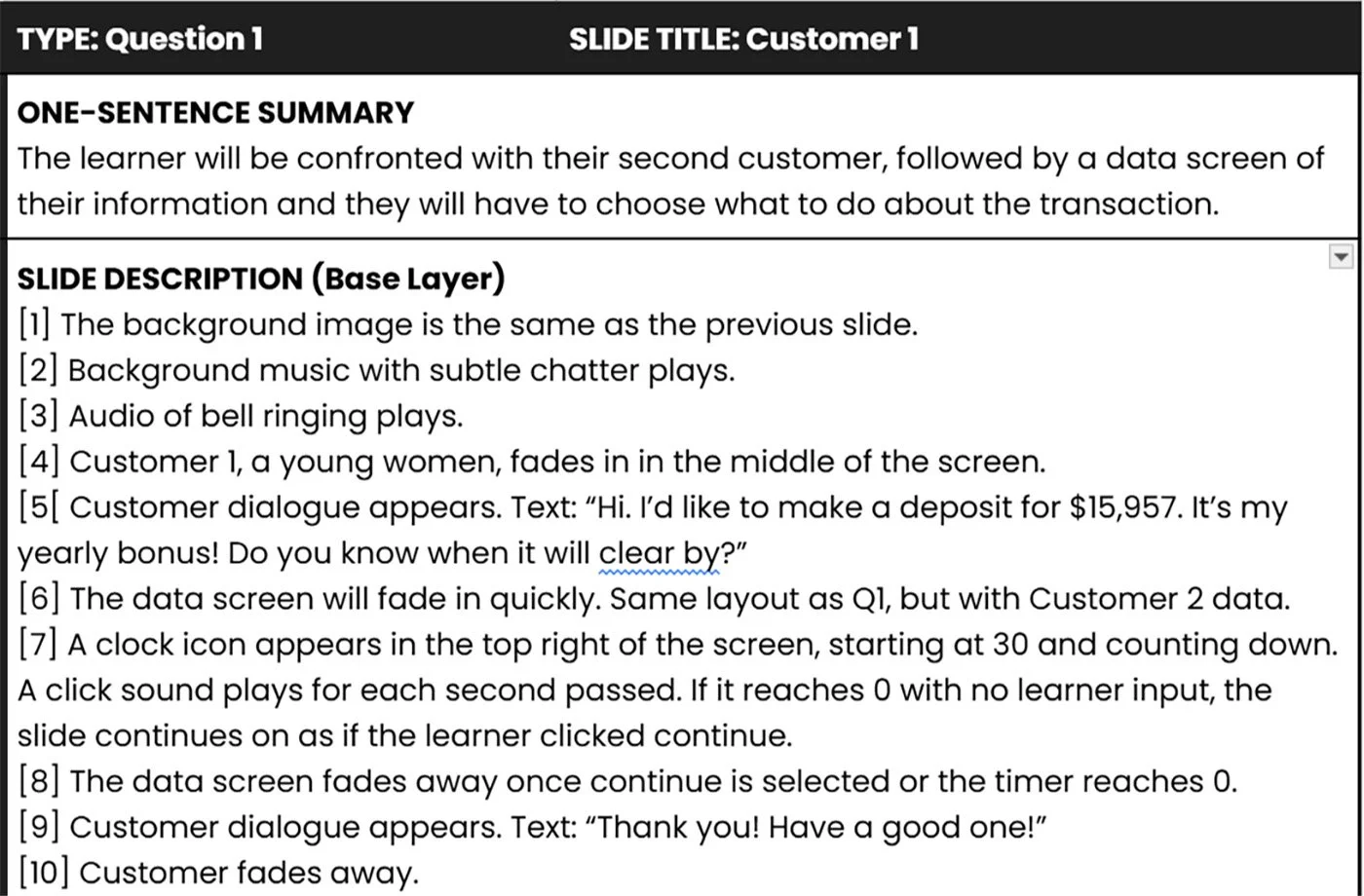
Text-based description for the first customer interaction.
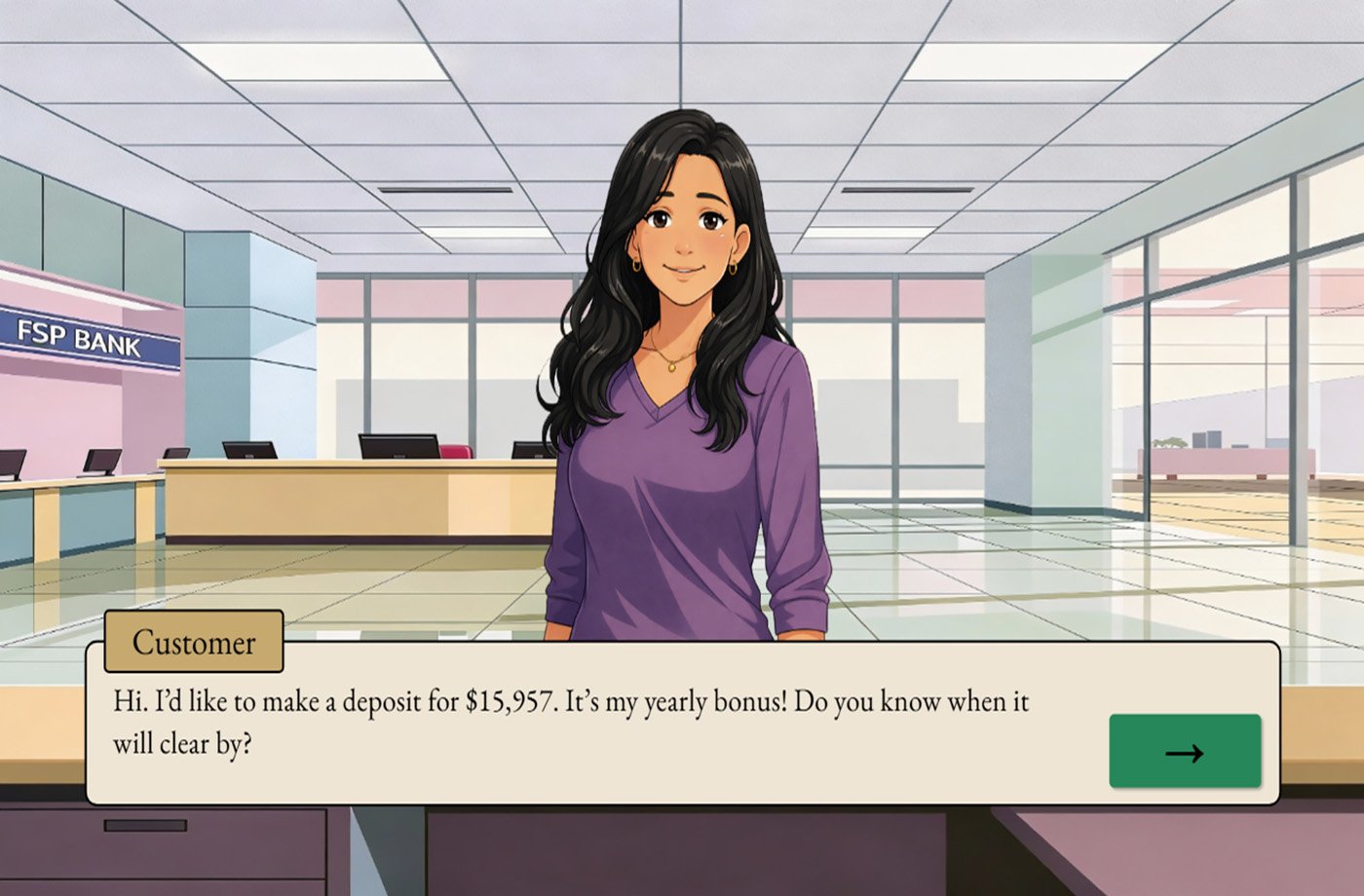
The final version of the first customer interaction.
visual mockups
I started the visual design process by creating a style guide which centralized the information that I would draw from when making design decisions. In order to build coherent and balanced interfaces, I organized the structure of the slides with wireframes. Then I brought the slides to life by using the predefined colors from the style guide to make each slide visually coherent. I used AI-generated backgrounds and characters in order to accelerate the timeline on which I could begin working on an initial prototype. Mayer’s Embodiment Principle states that learners retain more information when it is presented in a human-like manner, so I decided to have most of the feedback come from the bank’s manager.
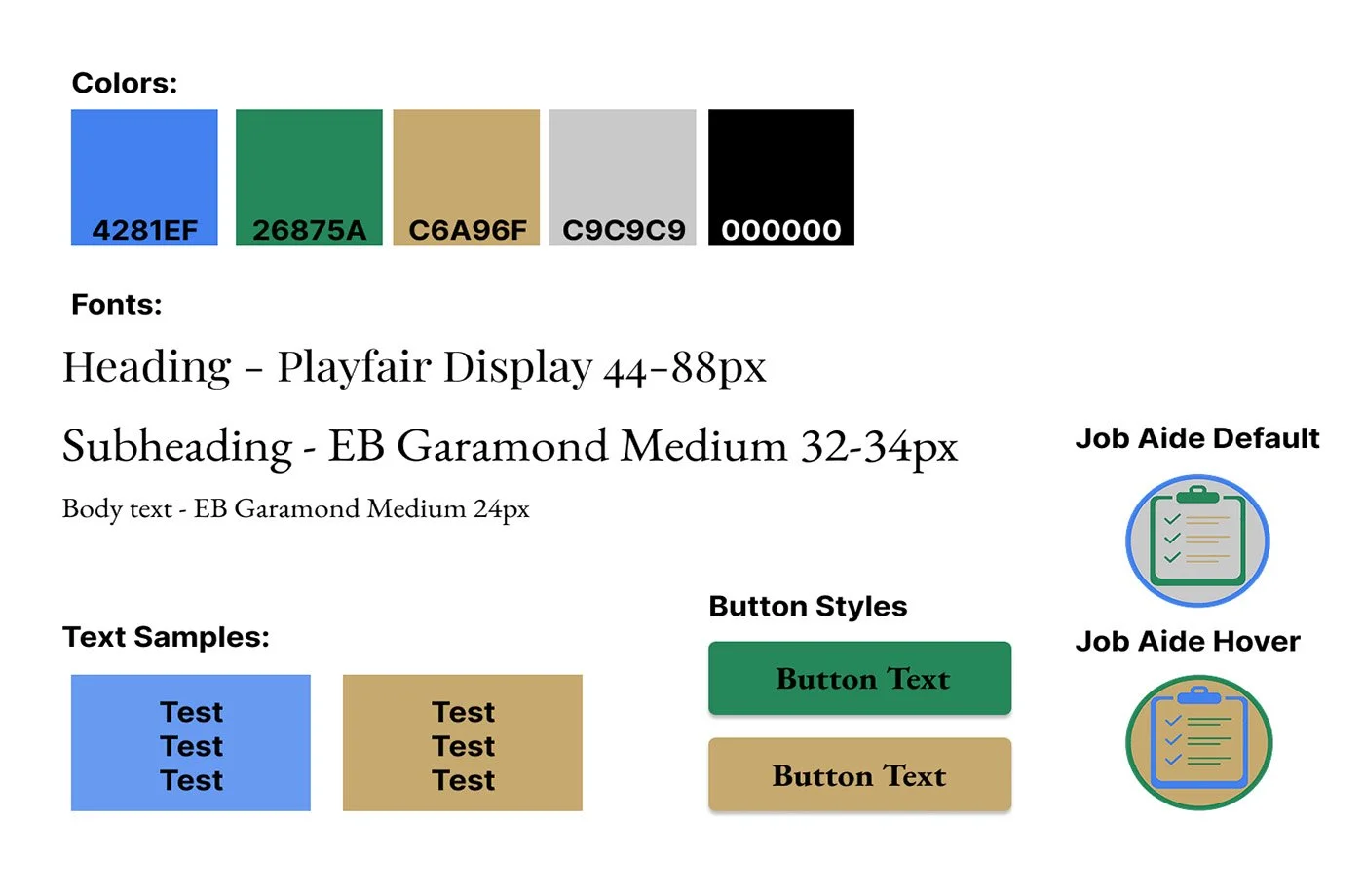
The style guide, which was referenced for all major design decisions.
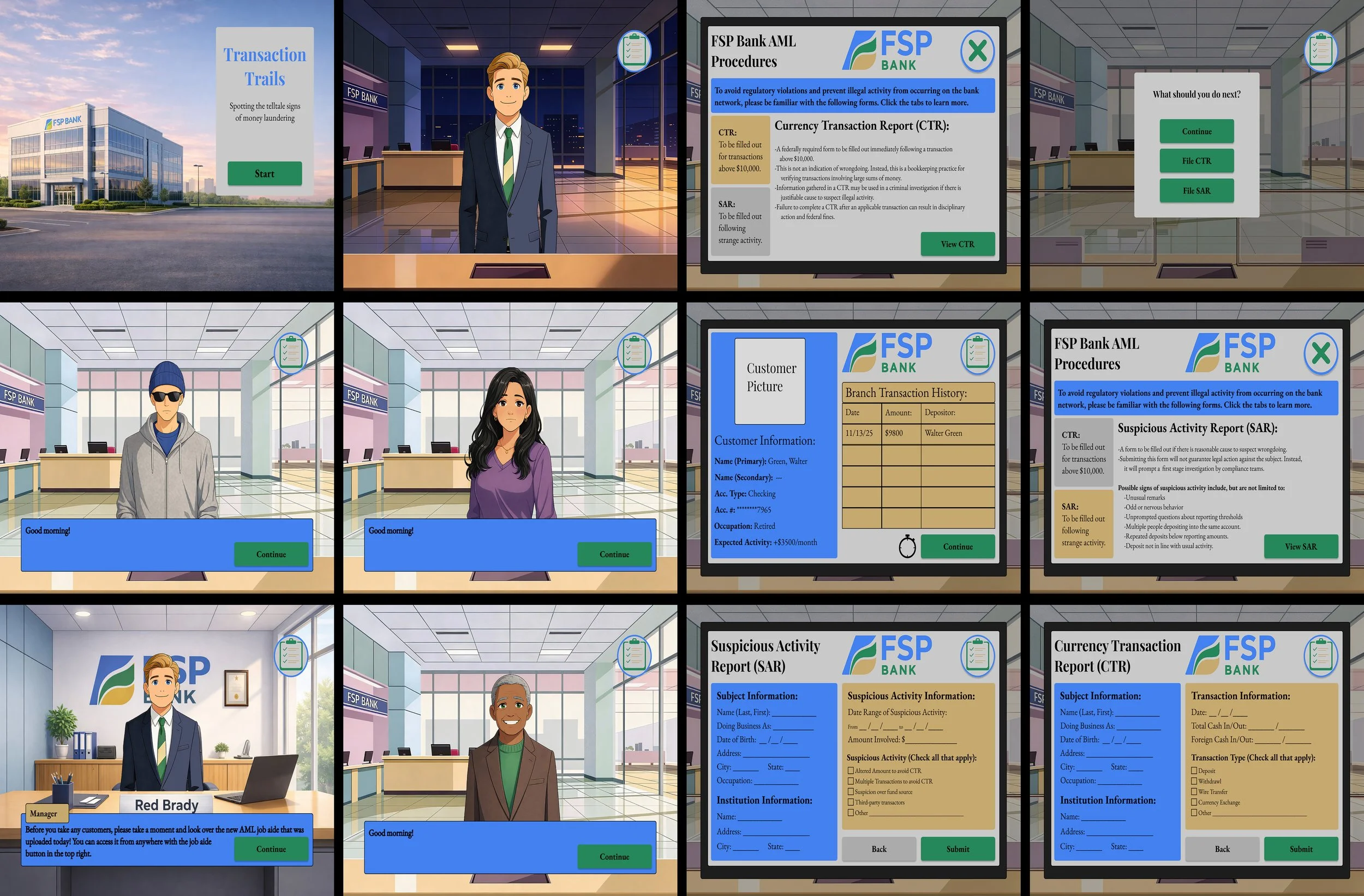
Preliminary visual mockups, built in Figma.
interactive prototype
I then created an interactive prototype using Articulate Storyline. This consisted of the introduction, job aid, and first main scenario. Doing so allowed me to gather feedback from peers about whether my intended goals for the project were actually being realized, without having to spend time building the entire project. I gathered feedback on the flow and clarity of the simulation, and then made the necessary revisions before continuing on to the full build.
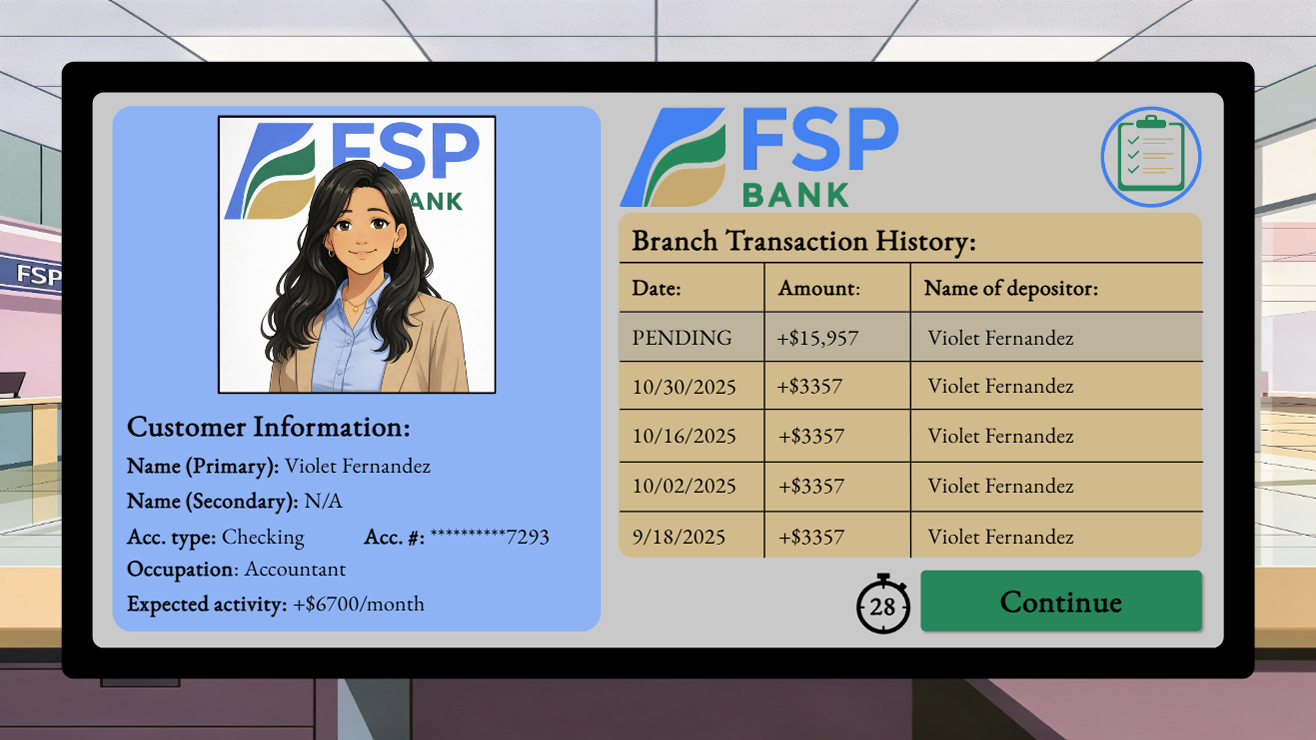
The first customer data screen, where the learner looks for unusual patterns in activity.
FULL DEVELOPMENT
Utilizing the thoughts and insights that I gathered from the first prototype, I made adjustments and then built out the full eLearning experience. This includes an interactive job aid, a timed customer slide meant to mimic the time pressure of real-world interaction, consistent background music meant to help learners focus, and review screens which highlight pertinent information in given examples. I received a great deal of positive feedback from peers, highlighting the flow and clarity of the simulation.
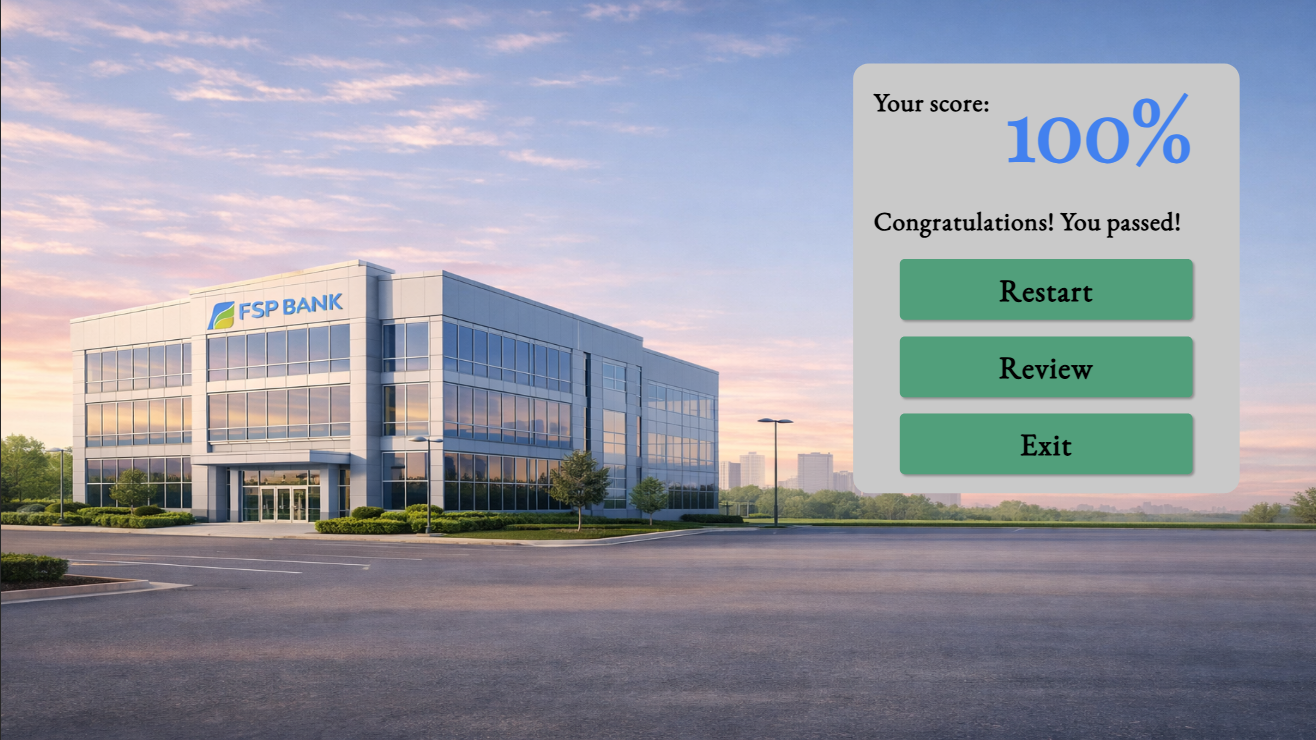
The final screen, where the learner can view their score and review questions.
Results
Building out this project has been an incredible learning experience, giving me a great deal of lessons, as well as inspiration for where to go next. The feedback I have received from my online network, as well as the other members of the boot camp I am a part of has been very positive, with comments highlighting the clean design, coherent narratives, and effective situations.
Takeaways
Building accessibility into design: As the workforce becomes more inclusive and diverse, it is more important than ever to create learning solutions which can be used by all learners. This project taught me a great deal about how to think of accessibility as a core design principle, rather than an afterthought. Examples of this include using WCAG-compliant color palettes that improve readability, as well as appropriate fonts and text sizes.
Plan twice, build once: One of the mistakes I made early on in my instructional design journey was to jump too quickly into an authoring software. I would just start building something, and figure out where things went, what was included on each screen, and other important factors as I went. With this project, I was far more efficient. I planned out the project in its simplest form, assessed it with a high degree of scrutiny, and refined it as many times as needed until the optimal solution was created. Once I was assured of this, I continued on to the building phase, and found that my work was far more streamlined and efficient.
Curiosity is key: Perhaps the most enjoyable part of this project was building an eLearning experience for a field that I have not directly worked in. Through this project, I was able to get a far better understanding of the banking system, the challenges people in this field face, and some of the solutions being proposed to combat them. Keeping my eyes open and staying curious allowed me to learn a great deal about the subject matter, as well as come up with many interesting ideas and solutions to consider.
next steps
Given the opportunity to expand this project, I would consider several features as future options:
Audio narration instead of text: The current project includes text on screen as the only form of presentation for information and dialogue. In a future iteration of the project, I would use AI-generated voiceovers to allow learners the option of choosing between voice narration or the traditional text on screen. This would allow learners who feel more comfortable with audio to have a more accessible learning experience.
Innocent customers: In this iteration of the project, the learner is only faced with customers who are doing something unusual. In a more expanded simulation, the inclusion of customers submitting normal transactions would increase the challenge and realism by forcing learners to practice discerning between which transactions are unusual, rather than learning to flag every single transaction.
Filling out forms: The primary goal of this simulation is to teach the learners about how to recognize the important signs of money laundering, and select the proper forms to fill out based on the patterns they recognize. In order to limit cognitive load, the simulation automatically fills out the report forms for the learner. This reduces the amount of new information the learner needs to process and apply at one time. In a subsequent project, requiring the learner to fill out the forms on their own would further increase realism and evaluate whether they are not only going to the right forms, but properly documenting the unusual patterns they observed.